

Video Speed Controller Pro vs. Global Speed, 2026 Comparison
Video Speed Controller Pro focuses on elegant UI and per-site speed memory, while Global Speed offers audio speed control and pitch correction. Both are free. Here's how they compare for different use cases.
Last updated: March 2026
Quick Comparison
 |  | |
|---|---|---|
| UI Design | Modern overlay, 4 themes | Settings panel |
| Speed Range | 0.0625x – 20x | 0.07x – 16x |
| Per-domain speed memory | Automatic | Via URL rules |
| Audio speed control | Video only | Audio + Video |
| Pitch correction | ||
| Shadow DOM isolation | ||
| Keyboard shortcuts | Fully customizable + Pro mode | Customizable |
| Themes | 4 themes | 1 |
| Languages | 24 with RTL | ~10 |
| Controller overlay | On-video with opacity/scale | Settings popup |
| LMS iframe support | ||
| Time saved tracking | 40+ milestones | |
| Manifest version | V3 | V3 |
| Price | Free | Free |
UI & UX
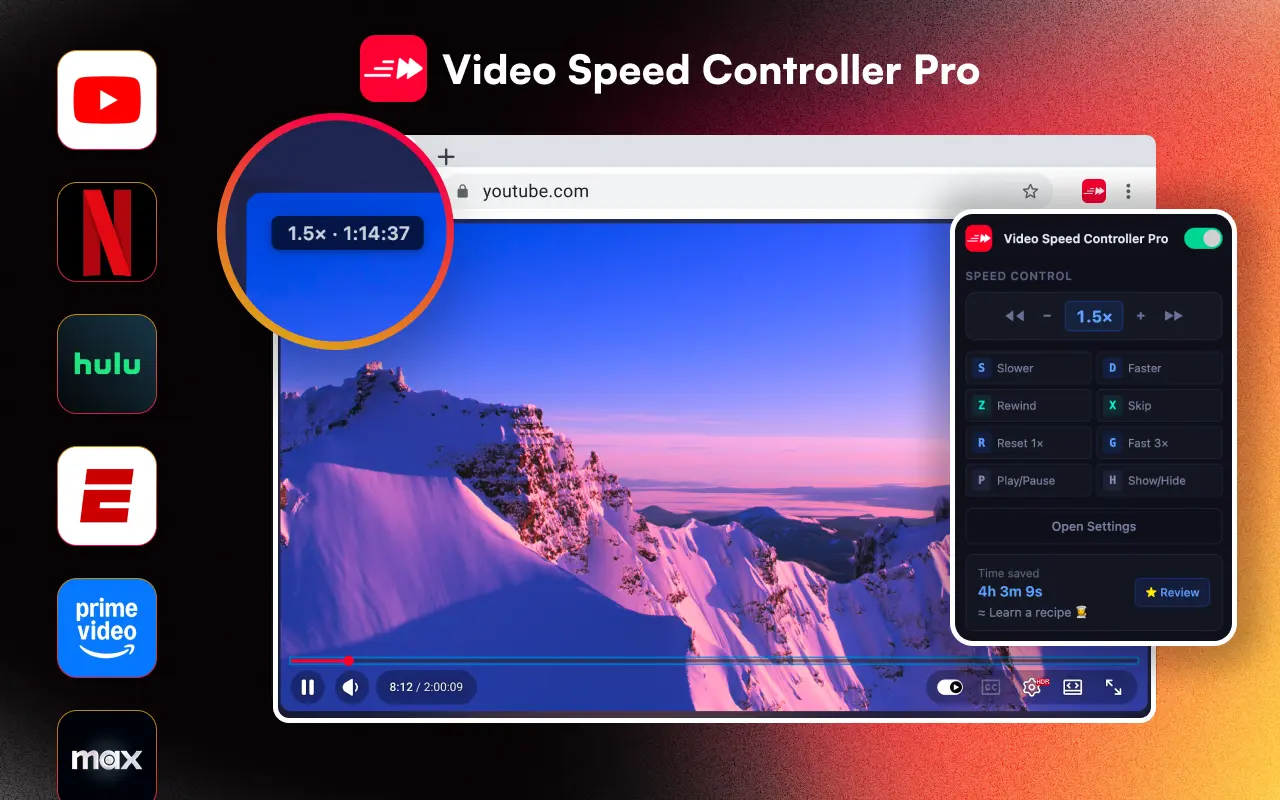
VSC Pro takes an on-video overlay approach, a sleek indicator sits directly on the video and responds to keyboard shortcuts. You can choose from 4 themes, adjust opacity and scale, and the Shadow DOM ensures it never conflicts with any website. The overlay auto-hides after 1.5 seconds for a clean viewing experience.
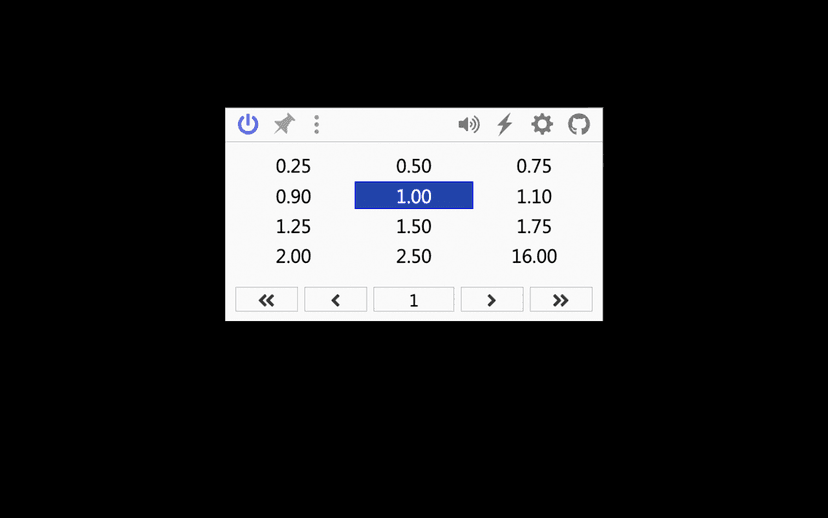
Global Speed uses a settings popup/panel interface. You interact with it through the extension popup or keyboard shortcuts rather than an on-video overlay. This is a preference-driven difference, some users prefer an overlay, others prefer a popup.
Speed Features
VSC Pro offers a wider speed range (0.0625x to 20x vs. 0.07x to 16x) and automatic per-domain speed memory, set it once per site and it remembers. The Pro mode adds arrow keys for fine 0.1x adjustments and number keys (1-2-3) for instant preset jumps.
Global Speed also supports per-site rules via URL-based configuration. Its unique advantage is audio playback speed control, you can speed up podcasts and audio content, not just video. It also includes pitch correction to keep voices sounding natural at higher speeds.
Audio Control
This is Global Speed's key differentiator. If you need to control audio playback speed (podcasts, audiobooks, music) or need pitch correction when speeding up content, Global Speed is the clear winner in this category. VSC Pro is video-only.
Browser Support & Privacy
VSC Pro supports Chrome, Edge (with a dedicated store listing), Brave, and all Chromium browsers with 24 languages. Global Speed also supports Chrome and Edge, with additional Firefox support. Both extensions use minimal permissions and are free.
Choose VSC Pro if you want:
- - A beautiful on-video overlay with 4 themes
- - Automatic per-site speed memory that "just works"
- - Time tracking with gamification (40+ milestones)
- - LMS iframe compatibility for educational sites
- - The widest speed range (0.0625x - 20x)
- - 24-language support with RTL
Choose Global Speed if you want:
- - Audio playback speed control (podcasts, audiobooks)
- - Pitch correction when speeding up content
- - A settings-panel approach over an on-video overlay
- - Firefox support in addition to Chrome/Edge
Verdict
For everyday video speed control, Video Speed Controller Pro offers the more polished experience with its on-video overlay, automatic per-domain memory, theme options, and time tracking gamification. It's designed to be beautiful and stay out of your way.
If you specifically need audio speed control or pitch correction, Global Speed is the better tool for that use case. Many power users actually run both extensions side by side, VSC Pro for video, Global Speed for audio.