

Video Speed Controller Pro vs. Super Video Speed Controller
Video Speed Controller Pro uses an on-video overlay with Shadow DOM isolation, while Super Video Speed Controller relies on a popup panel with percentage-based speed control. Both are free. Here's how they compare.
Last updated: March 2026
Quick Comparison
 |  | |
|---|---|---|
| UI Design | On-video overlay, 4 themes | Popup panel only |
| Speed notation | Standard (1.5x, 2x) | Percentage-based (+17%, -29%) |
| Speed range | 0.0625x – 20x | Not documented |
| Per-domain speed memory | ||
| Shadow DOM isolation | ||
| Keyboard shortcuts | Fully customizable (10+ keys) | 3 keys only (A/D/S) |
| Languages | 24 with RTL | 54 (website UI only) |
| Controller themes | 4 themes + opacity/scale | None (popup only) |
| Time saved tracking | 40+ milestones | |
| LMS iframe support | ||
| Site-specific handling | YouTube, Netflix, etc. | |
| On-video speed indicator | ||
| Manifest version | V3 | V3 |
| Price | Free | Free |
User Interface
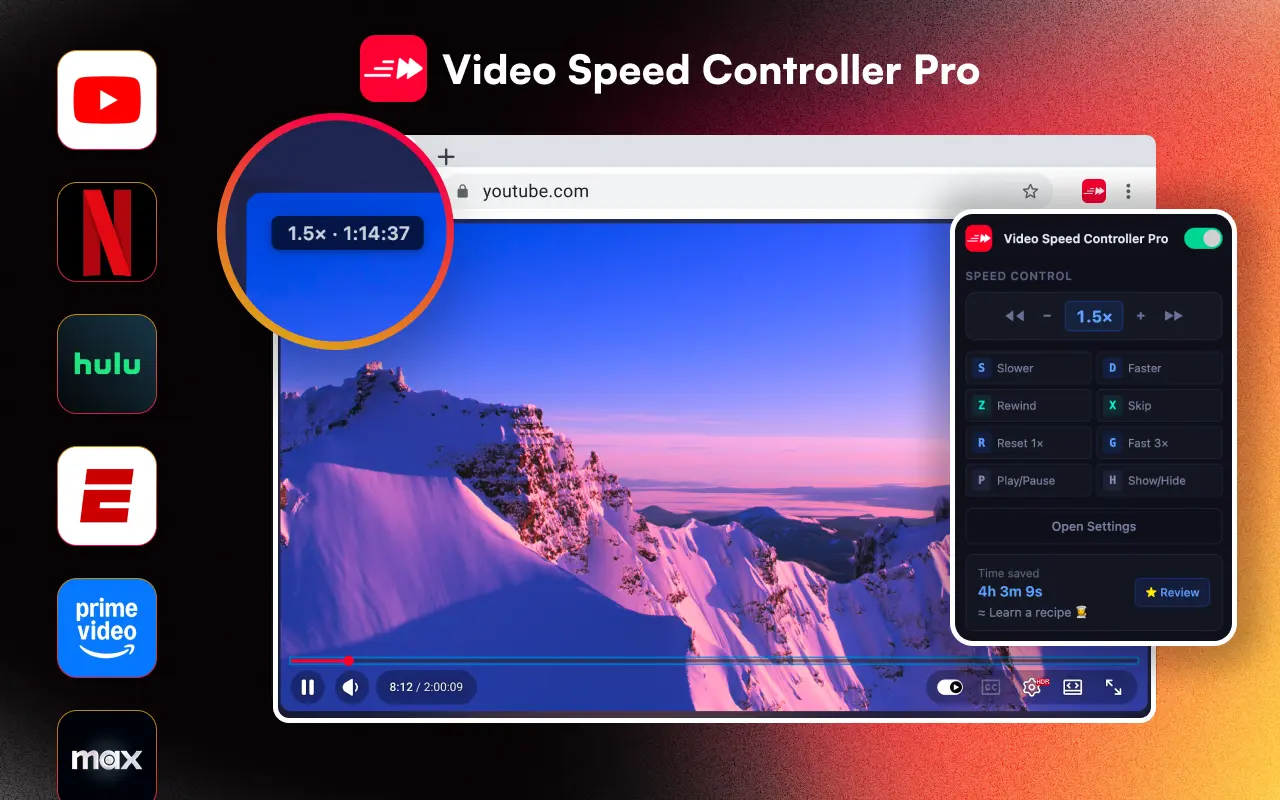
VSC Pro places a sleek, Mac-inspired overlay directly on the video. You see your current speed at a glance, and hover to reveal +/- buttons and skip controls. The overlay uses Shadow DOM so it never breaks any website's layout. Choose from 4 themes (Default blue, Dark, Light, Minimal) and adjust opacity and scale to your preference.
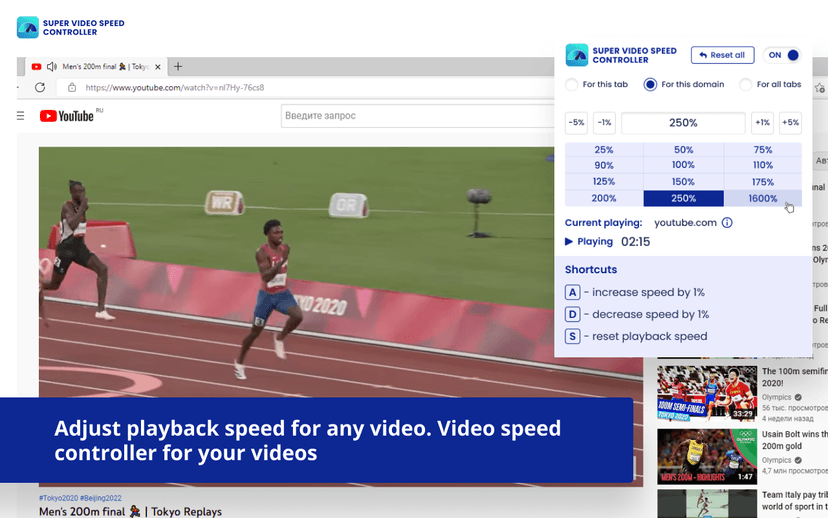
Super Video Speed Controller uses a popup panel that opens when you click the extension icon. Speed is shown as a percentage (e.g., 250% instead of 2.5x), and you pick from a grid of preset percentages. There is no on-video indicator, so you can't see the current speed while watching without opening the popup.
Speed Control
VSC Pro offers a speed range from 0.0625x (1/16 speed) to 20x, with configurable step increments (default 0.1x). Per-domain speed memory means YouTube, Netflix, and Coursera each remember their own speed setting automatically. Three custom preset shortcuts let you jump to your favorite speeds instantly.
Super Video Speed Controller uses percentage-based speed notation (+17%, -29%, 250%) rather than the standard multiplier format most users expect (1.5x, 2x). It offers only 3 keyboard shortcuts (A to increase 1%, D to decrease 1%, S to reset). The exact minimum and maximum speed range is not documented in their listing or website.
Privacy & Permissions
VSC Pro requests only two permissions: storage (to save settings) and page access (to detect videos). No tracking, no analytics, no data collection.
Super Video Speed Controller requests additional permissions including alarms, scripting, and declarativeNetRequest, which are unusual for a simple speed controller. It also includes a DevTools page, raising questions about what data it may access.
Choose VSC Pro if you want:
- - On-video speed display without opening popups
- - Per-domain speed memory across sites
- - Standard speed notation (1.5x, 2x, 3x)
- - 10+ customizable keyboard shortcuts
- - Minimal permissions and no suspicious extras
- - Time saved tracking with milestones
Choose Super Video Speed Controller if you want:
- - Percentage-based speed control
- - A popup panel interface
- - Per-tab or per-domain speed scoping from the popup
Verdict
Video Speed Controller Pro offers a more polished experience with its on-video overlay, Shadow DOM isolation, per-domain speed memory, and fully customizable shortcuts. Super Video Speed Controller's percentage-based approach is unique but less intuitive for most users, and the popup-only UI means extra clicks to change speed.
VSC Pro also has a cleaner permission footprint, an important factor when choosing browser extensions. For most users who want a fast, set-and-forget speed controller, VSC Pro is the stronger choice.