

Video Speed Controller Pro vs. Video Speed Controller (Video Speed)
"Video Speed Controller - Video Speed" is a CWS Featured extension with 400K+ users and support for 32 languages. Video Speed Controller Pro offers deeper features like per-domain memory, Shadow DOM, and 4 themes. Here's how they compare.
Last updated: March 2026
Quick Comparison
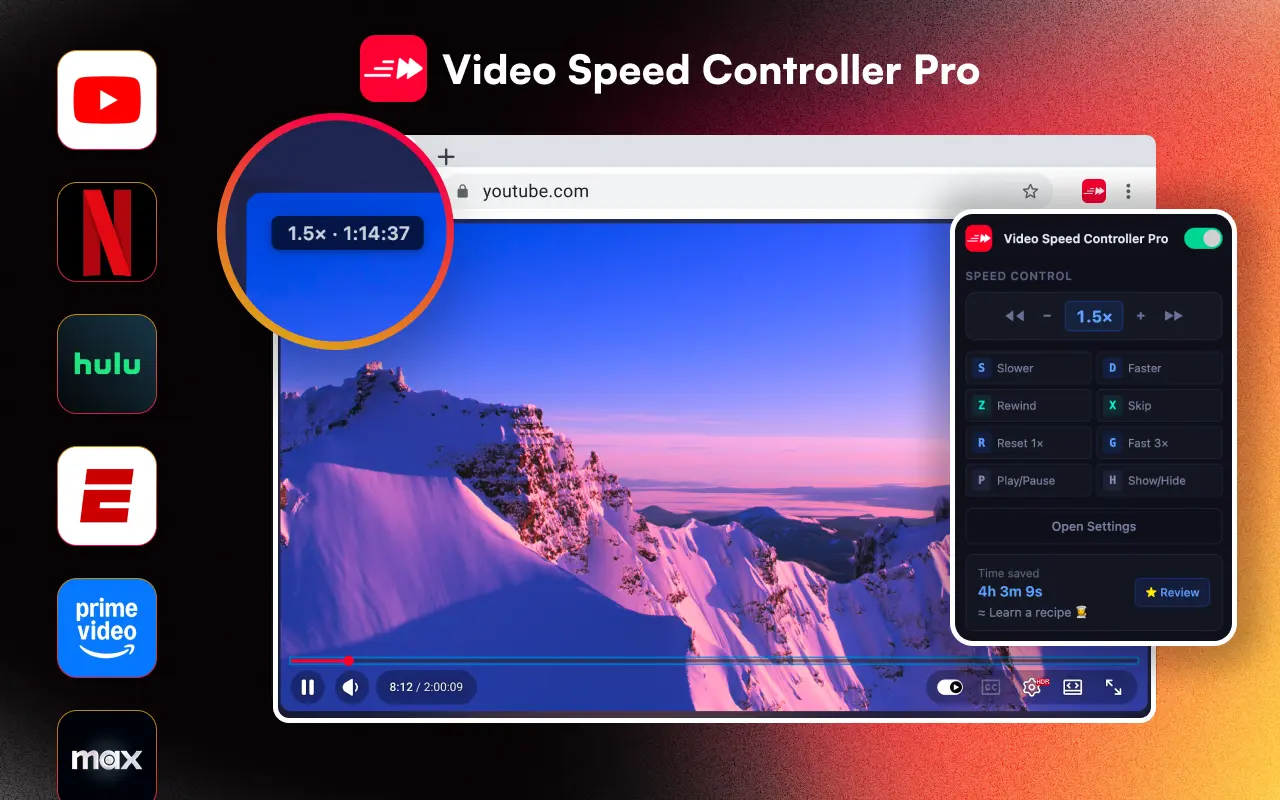 |  | |
|---|---|---|
| CWS Badge | Follows best practices | Featured |
| Users | 4,000+ | 400,000+ |
| UI Design | On-video overlay, 4 themes | Basic controller overlay |
| Speed range | 0.0625x – 20x | 0.25x – 4x |
| Per-domain speed memory | Automatic | |
| Shadow DOM isolation | ||
| Keyboard shortcuts | 10+ fully customizable | Basic shortcuts |
| Languages | 24 with RTL | 32 |
| Controller themes | 4 themes + opacity/scale | 1 |
| Time saved tracking | 40+ milestones | |
| LMS iframe support | ||
| Site-specific handling | YouTube, Netflix, etc. | |
| Play/pause shortcut | P key | |
| Fast-forward mode | G key (3x default) | |
| Manifest version | V3 | V3 |
| Price | Free | Free |
What Makes Video Speed (Featured) Popular?
"Video Speed Controller - Video Speed" has earned Google's Featured badge on the Chrome Web Store, which means it follows Chrome's recommended practices. With 400K+ users and 32 language support, it has broad reach. It offers basic speed control with an overlay on HTML5 videos and supports major streaming platforms.
However, user reviews frequently mention a persistent review pop-up that interrupts viewing, compatibility issues with Amazon Prime Video, and speed-reset bugs where the extension reverts to 1x unexpectedly.
Where VSC Pro Goes Further
VSC Pro offers features that Video Speed simply doesn't have: per-domain speed memory (your preferred speed sticks to each site automatically), Shadow DOM isolation (the overlay never conflicts with any website's CSS), 4 controller themes with adjustable opacity and scale, and a gamified time-saved tracker with 40+ achievement milestones.
VSC Pro also supports a much wider speed range (0.0625x to 20x vs. 0.25x to 4x), has 10+ fully customizable keyboard shortcuts including a dedicated fast-forward mode (G key) and play/pause (P key), and provides LMS iframe compatibility for learning platforms like Canvas and Blackboard.
Choose VSC Pro if you want:
- - Per-domain speed memory across sites
- - 0.0625x to 20x speed range
- - Shadow DOM isolation (no CSS conflicts)
- - 4 themes with opacity/scale control
- - 10+ customizable keyboard shortcuts
- - Time saved tracking with milestones
- - No intrusive review popups
Choose Video Speed if you want:
- - A CWS Featured badge extension
- - 32 language support
- - Large user community (400K+)
- - Basic, straightforward speed control
Verdict
Video Speed has the user numbers and the Featured badge, but VSC Pro has significantly deeper features. If you just need basic speed up/down on videos, either extension works. But if you want per-domain memory, themes, a wider speed range, and an overlay that never breaks websites, VSC Pro is the more capable choice.
Both extensions are free, so there's no risk in trying VSC Pro alongside Video Speed to see which fits your workflow better.